
I dunno I manged to bypass it with the oobe/bypassnro or whatever two weeks ago at work. Fresh download from micro$oft too.
On pro editions,
Out of box experience:
Sign in to work or school
Bottom left of username field- sign in options in blue
Domain join instead
Create a local account
Pro tip: don’t put a password in to skip the password reset questions then set the password when you get to desktop with CTRL ALT DEL
Terrible day for the
unemployedwindows usersMe: installs linux
I installed LMDE on an old Chromebook today.
Me: updates Linux. Remembers windows patch days. Laughs.
Me: I never update. My immutable distro downloads new images in the background and they get mounted next boot.
I’m intrigued but maybe next time. Not hopping much.
Me: Never reboots
Wait… really? When? Got a news article?
I was curious about this too. I went looking and am not finding any new articles about this. Just some from a year ago saying they were intending to do this at some point in the future.
ETA: Just logged into my laptop, which is running Windows 11 Home (it came with it and I haven’t bothered to change that yet), using a local account. I can log in fine. And there are no pending updates.
This meme is baseless, at least right now.
Looked into this a bit because, from my work experience, I’m pretty sure it’s a lot harder to install Windows 11 with a local account than it used to be. Most people I help are logged in with Microsoft accounts, and most of the results I get when looking at how to make a local account in Win11 are workarounds and command prompt lines.
According to this article last year they tried removing those workarounds.
https://www.theverge.com/news/793579/microsoft-windows-11-local-account-bypass-workaround-changes
So it affects new installs, but existing ones are okay (as long as you don’t want to create another new local account). Okay that makes sense. My company is pretty new, but I can’t remember if it was an extra pain in the ass to switch to a local account, or the same pain in the ass as usual.
does this mean you can’t log in when your Internet or their server is down ?
I think they store the account info locally so you can login offline, but there may be restrictions to that I’m not aware of.
ah ok. i was imagining stuff like with the burning bed when the cloud goes down ^^
Chris Titus saves the day https://github.com/ChrisTitusTech/bypassnro
So glad I dropped windows nearly a decade ago

Wesley speaking the Penguin Gospel here.
Shut Up Wesley, most everyone on
LemmyThe Fediverse knows at least something about Linux 🐧I’d be pretty disappointed if they didn’t honestly
For real this time? No more workarounds?
I still keep it around on a secondary drive for Battlefield and such, haven’t booted into it in months tho
For windows Home
Which no one should ever purchase anyway.
No one purchases windowa. It’s just something that already comes on the computer.
You did buy it as part of the base price.
Just remembered we can’t even build computers at home right now
yeah I have never use Home only Pro. I have to fix win 11 so i might as well use it. Wish I had drive to do IT fun stuff after work but then it just feels like work.
I have Win10 on a laptop only to drive a photo scanner. I have Win10 IOT installed in VirtualBox but I haven’t started it in almost a year. I don’t think I need it anymore, but it’s there in case.
I installed Linux Mint after first looking at Ubuntu. I don’t see any reason to leave Mint, it just works.
Mint is very smooth
Favourite distro: Mint. Favourite Dr Bronner soap: ditto.
My computer runs like a dream and my arse feels like it ate a tin of altoids. Thriving AF.
I have 30-year-old scanners that work perfectly under linux. I bought a scanner last month for my mother which also works perfectly under Linux. Is there just some special feature of the software that you need? Or does the scanner just truly not work under Linux?
I don’t want to have to interact back and forth between my computer and my scanner to scan documents. My scanner has buttons on it, I want them to work. There are very, very few scanners that will scan directly to your computer or a network drive using only the buttons on the scanner that don’t require a Windows or Mac PC running their network scan server software. And the companies that do publish their drivers and software.to Linux don’t ever seem to include the scan service component, so you have to drive the scanning operation from your computer instead of the scanner’s buttons.
Fair enough yeah. Myself I don’t mind loading up the ADF and just clicking scan in skanpage. But everyone has the workflow that works for them. And that’s valid
Mostly, it’s just that nobody uses their computer in the same room that the scanner is in, and they don’t want to find a place to prop their laptop while using the scanner.
I solved that issue by having a computer in nearly every room. I may have a problem. But I prefer to call it a hobby LOL.
😅
Had an ancient Core 2 duo laptop. 4 gigabytes of ddr2 RAM. And 256 GB spinning rust hard drive, no webcam, and a native resolution just barely above 720p. Attach a cheap $30 720p projector and Bluetooth shower speaker. Toss Haiku beta r6 on it. Project on the tile above the bathtub. Perfect for some basic authentic shitposts and watching some YouTube while soaking in some Epsom salts.
i got a document scanner that does just that. it is connected to the network and puts files via webdav/smb into a filesharing.
look for a scanner with network interface. if it’s connected via USB, I can imagine it needs good driver/software support which might be missing
The challenge to finding one was keeping it in a sub $200 consumer device price range instead of a $300+ office line of devices. I managed to get a refurb Brother ADS-1800W and that supports network folders. But it’s not available new anymore, as they’ve moved that feature into their higher price tiers too.
Y’all need Vuescan in your life.
I only have one device with a Windows partition and it isn’t 11.
You’re still rocking the best windows version?
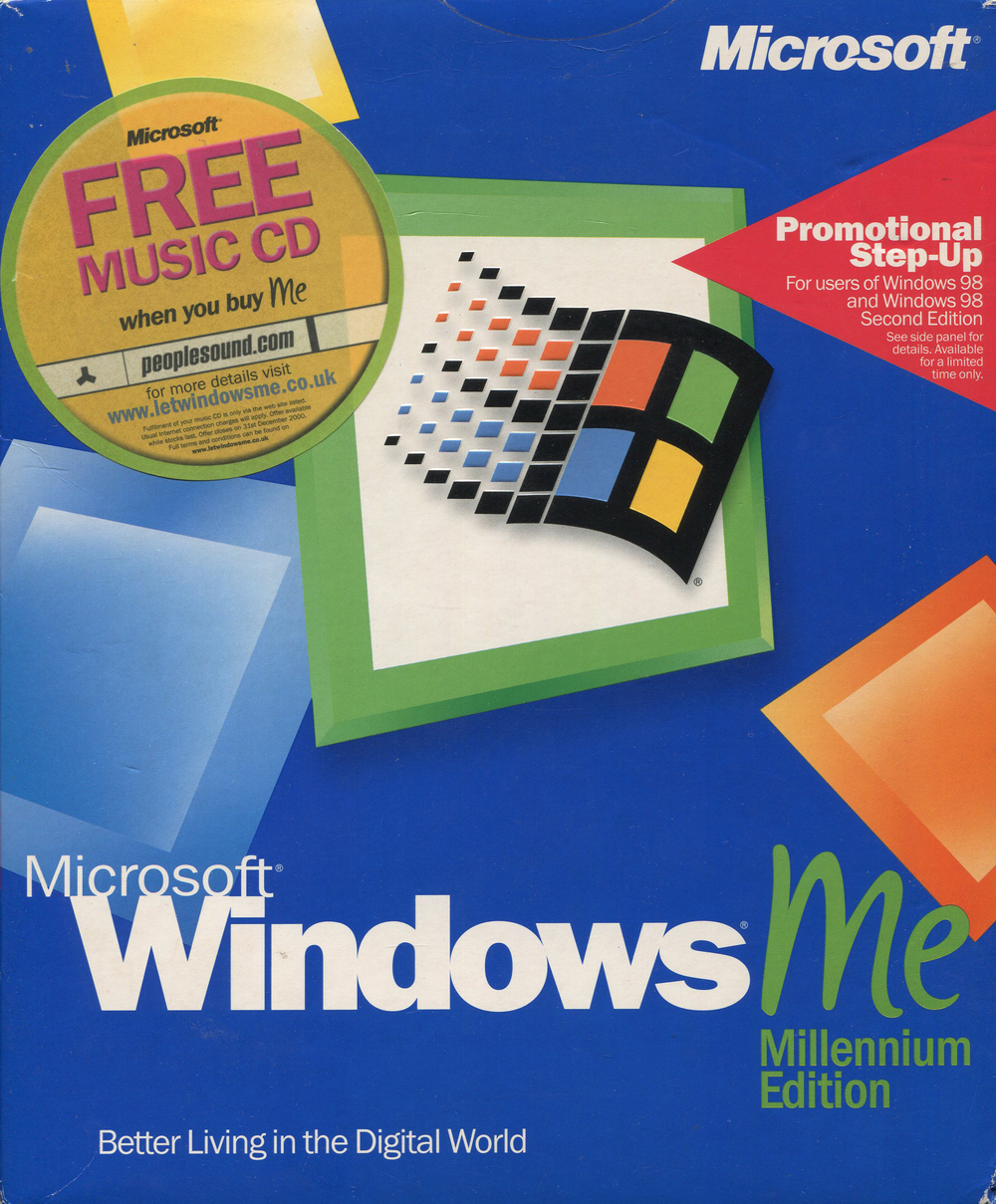
The first computer I had (in my room) came pre-installed with this. I was so very fluent in the reinstall process by the time it was all said and done!
it could play my favorite maxis games as well as Starcraft and Pharoah so i didn’t realize how much of a pain ME was
Not today Satan… Windows 2000 pro wiped many copies of ME
Or 98SE. We bought a new laptop with ME on it, couldn’t understand why it was so slow compared to what it replaced. I finally said screw it, whipped out my 98SE CD (which everyone had around), and replaced that POS ME. And it’s amazing how the new laptop ran fast and now had none of the issues with things like printer and stuff. I don’t know what it was about ME that made it so bad, but it was.
cant wait for Windows ZE (zoomer edition)
Jesus Christ